
How I Run a Private Dashboard From My Mac With a Stable Cloudflare URL
How I Run a Private Dashboard From My Mac With a Stable Cloudflare URL
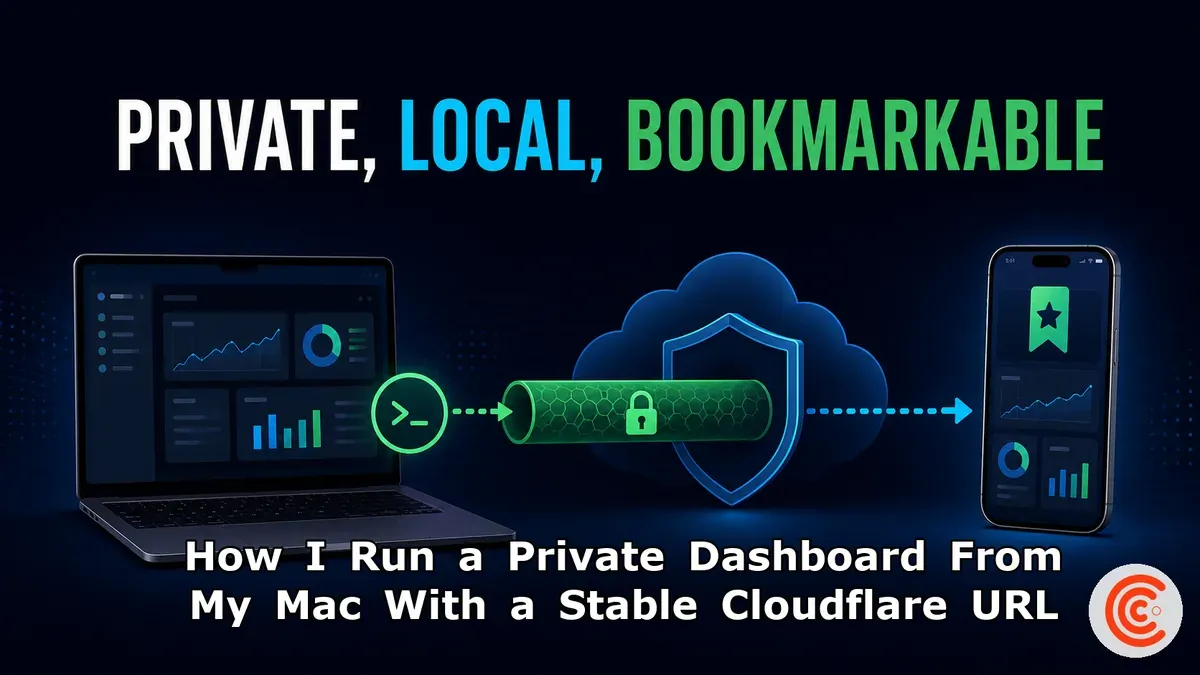
I wanted one bookmark that could open the newest reports and drafts on my computer without deploying them. The working design is a loopback-only Node server, a restrictive file allowlist, password sessions, and a Cloudflare Named Tunnel that exists only while I run the start script.
Table of Contents
- The requirements that shaped the design
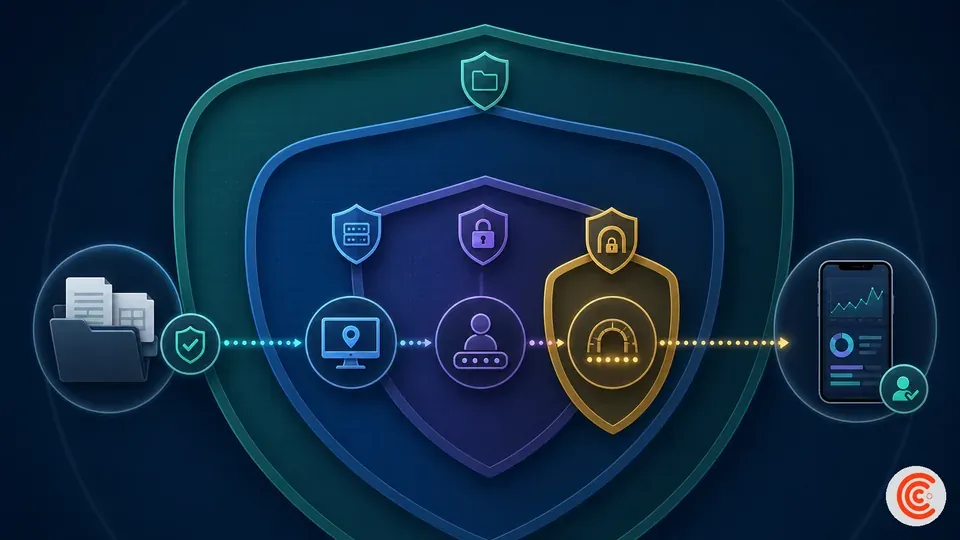
- The four layers of the private dashboard
- The start and stop lifecycle
- The alternatives I considered
The requirements that shaped the design
This project began as a convenience problem.
My operational files lived in a normal local workspace: Markdown articles, HTML previews, images, PDFs, research notes, reports, and planning documents. Git provided history and backup, but a repository browser was not the interface I wanted on a phone. I wanted a lightweight dashboard that grouped the files and rendered common formats.
The requirements were intentionally narrow:
- One primary user.
- A stable HTTPS bookmark.
- The newest local files, including uncommitted work.
- No automatic cloud deployment after Git pushes.
- No router port forwarding.
- The page should disappear when I stop the process.
- Credentials, scripts, and hidden files must never become downloadable.
Those constraints immediately ruled out several convenient shortcuts.
A generic static server pointed at the project root was too dangerous. Basic authentication in front of an unrestricted directory would still make sensitive files reachable after login. A Quick Tunnel was useful for a demo, but its random address was not bookmarkable. A Worker could stay online, but would only show the most recently deployed copy.
The design had to treat which files can be served as a separate question from who can log in.
## The four layers of the private dashboard
Layer 1: a generated manifest
The dashboard does not scan every local directory in the browser. A generator creates a manifest containing only the sections and file types the interface knows how to display.
The manifest is regenerated when the dashboard starts. That is what makes the page feel current without a deployment.
This layer is for presentation, not security. A file missing from the manifest should still be denied by the server if someone requests its path directly.
Layer 2: a loopback-only server
The Node server binds to a loopback address rather than all network interfaces. cloudflared connects to that local port from the same computer.
The server accepts only:
- selected dashboard root files;
- explicitly named content directories;
- a controlled list of document and image extensions.
It rejects:
- dotfiles and dot-directories;
- parent-directory traversal;
- symlink escapes;
- scripts and executable files;
- environment files;
- credential and configuration directories;
- any path outside the allowlist.
The important idea is not the particular JavaScript implementation. It is the security model:
authentication grants access to the dashboard
allowlisting defines what the dashboard is capable of serving
One control does not replace the other.
Layer 3: a small authenticated session
The login form accepts a username and password stored in a local environment file that is excluded from Git.
Successful login creates a signed, time-limited session token. The browser receives it in an HttpOnly cookie, with the secure cookie behavior used on the HTTPS path. Failed logins are counted within a time window and temporarily blocked after repeated attempts.
Every response uses headers appropriate for a private viewer:
Cache-Control: no-storeX-Robots-Tag: noindex, nofollow, noarchiveX-Content-Type-Options: nosniff- restrictive framing and referrer behavior
This is a deliberately small design for one user. For a team, I would prefer identity-provider authentication, centralized access policy, and audit logs—Cloudflare Access is designed for that class of problem.
Layer 4: a Named Tunnel
Cloudflare Tunnel works through an outbound connection from cloudflared to Cloudflare’s network. The machine does not need a publicly reachable IP or an inbound firewall rule.
The configured hostname routes to the local loopback service. TLS is handled at the Cloudflare side of the browser connection, while the origin remains local.
Cloudflare’s documentation says each tunnel maintains multiple long-lived connections for redundancy. That improves the connector’s edge path, but it does not make my Mac or local process highly available. If the computer sleeps, loses internet access, or stops the script, the dashboard goes offline.
That is a feature in this use case.
## The start and stop lifecycle
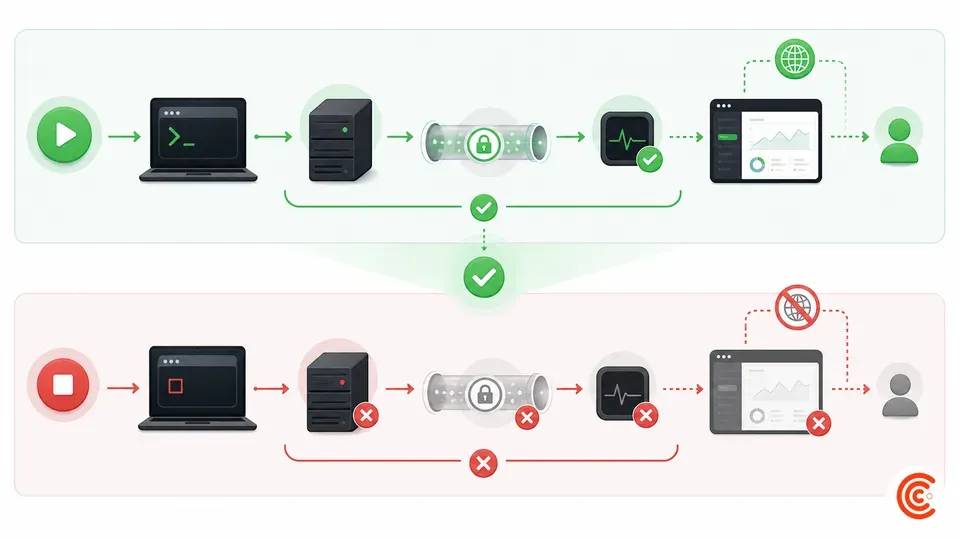
The whole service is controlled by one script.
On startup it:
- checks that the runtime exists;
- creates a local environment file and strong random credentials on first use;
- rebuilds the file manifest;
- starts the authenticated local server;
- starts the existing Named Tunnel;
- waits and forwards shutdown signals.
On Ctrl+C, it stops both child processes.
A generic version of the operator experience looks like this:
cd /path/to/private-dashboard
./start-private-dashboard.sh
I am not publishing my real script verbatim in this article. It contains project-specific directory names, port choices, tunnel identifiers, and operational assumptions. A future downloadable starter kit should replace those values with configuration inputs and include its own security review.
The first-run password is shown once in the terminal and stored locally. Before taking any screenshot, I clear the terminal or use a staged output that contains no credential.
The shutdown behavior is equally important. The stable DNS record remains configured, but there is no origin behind it until the script runs again. Nothing needs to be recreated after a normal stop.
My pre-publication security checklist
- [ ] The server binds to loopback only.
- [ ] No project root is exposed by a generic static server.
- [ ] Every public directory is explicitly allowlisted.
- [ ] Real paths are checked after resolving symlinks.
- [ ] Environment and credential files are ignored by Git.
- [ ] Screenshots use demonstration content.
- [ ] Cookies are signed, time-limited, and
HttpOnly. - [ ] Failed logins are rate-limited.
- [ ] Private responses are not cached or indexed.
- [ ] The tunnel token never appears in a command screenshot.
The alternatives I considered
| Option | Best when | Why I did not choose it here |
|---|---|---|
| Cloudflare Access | Multiple users or identity-provider login | More policy machinery than my one-user application required |
| Tailscale Serve | All client devices can join one private tailnet | I wanted a normal browser bookmark without a client requirement |
| Tailscale Funnel | A local service needs public internet reach through Tailscale | I already used Cloudflare DNS and wanted one control plane |
| ngrok | Webhook debugging, request inspection, replay | Excellent development tools, but not the simplest fit for my existing domain |
| Small VPS | Continuous availability | Would require deployment and server maintenance or another managed service |
| Cloudflare Worker | A public or always-on edge application | The dashboard’s source of truth was my live local workspace |
The choice becomes much easier when “private” is broken into two meanings:
- private network: only approved devices can route to the service;
- public route with private application: any browser can reach the login page, but authenticated access controls the content.
My current design is the second. For highly sensitive material, the first may be the safer default.
Links and affiliate placeholders
- Cloudflare Tunnel — current tool, official non-affiliate link.
- Cloudflare Access — identity-aware alternative, official non-affiliate link.
- Tailscale — private-network alternative, official non-affiliate link.
- ngrok — tunnel and developer-gateway alternative, official non-affiliate link.
[AFFILIATE LINK PLACEHOLDER — DIGITALOCEAN] A future “move this dashboard to an always-on VPS” guide can use an approved DigitalOcean affiliate URL after I run that deployment myself.
[AFFILIATE LINK PLACEHOLDER — HOSTINGER] A future beginner-hosting alternative can use an approved Hostinger link after hands-on testing. Hostinger’s public affiliate page currently says commission starts at 40%.
Frequently Asked Questions
Does the dashboard stay online after the Mac shuts down?
No. The hostname remains configured, but the local origin is unavailable until the computer and start script are running.
Why not expose the folder with Python’s HTTP server?
A generic directory server can expose far more than the intended dashboard. I needed application authentication, file allowlisting, range requests, content types, and security headers.
Does Cloudflare Tunnel encrypt the connection?
Cloudflare documents Tunnel as an outbound encrypted connection to its network. The browser uses HTTPS at the public hostname. Sensitive local architecture should still be designed with authentication and least privilege.
Should I copy this design for passwords or financial records?
Not blindly. Highly sensitive records deserve a dedicated threat model, encrypted storage, and often a private-network approach rather than an internet-reachable login page.
Can several people use it?
Technically yes, but the authentication and audit design should change. Cloudflare Access or another identity provider is more appropriate than sharing one password.
Key Takeaways
- The manifest improves navigation; the server allowlist provides the security boundary.
- Loopback binding plus an outbound tunnel avoids router port forwarding.
- A stable tunnel does not mean an always-on origin.
- Screenshots should be staged with demonstration content, not heavily blurred after capture.
- One start script makes the lifecycle understandable and reversible.
How this was written
This article is based on the current architecture of my personal dashboard. Exact names, URLs, directories, ports, and credentials have been omitted. The security discussion describes practical controls, not a third-party audit or guarantee. Product behavior was checked against official documentation.
Comments ()